
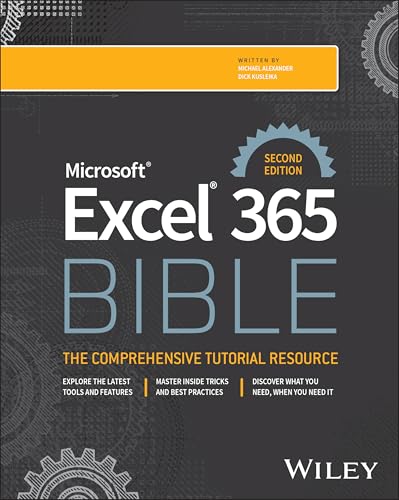
Microsoft excel 365 Bible / Michael Alexander, Dick Kusleika
Material type: TextLanguage: English Publication details: Hoboken : John Wiley & Sons , 2025.Edition: 2nd edDescription: xlv, 1042 pages : illustrations ; 24 cmISBN:
- 9781394298242
- Excel 365 bible
- 005.54 ALE
| Cover image | Item type | Current library | Home library | Collection | Shelving location | Call number | Materials specified | Vol info | URL | Copy number | Status | Notes | Date due | Barcode | Item holds | Item hold queue priority | Course reserves | |
|---|---|---|---|---|---|---|---|---|---|---|---|---|---|---|---|---|---|---|
| Books | Institute of Public Enterprise, Library S Campus | Reference | 005.54 ALE (Browse shelf(Opens below)) | Available (Restricted Access) | 51387 |
Part I: Getting Started with Excel -- Chapter 1: Introducing Excel -- Chapter 2: Entering and Editing Worksheet Data -- Chapter 3: Performing Basic Worksheet Operations -- Chapter 4: Working with Excel Ranges and Tables -- Chapter 5: Formatting Worksheets -- Chapter 6: Understanding Excel Files and Templates -- Chapter 7: Printing Your Work -- Chapter 8: Customizing the Excel User Interface -- Part II: Working with Formulas and Functions -- Chapter 9: Introducing Formulas and Functions -- Chapter 10: Understanding and Using Array Formulas -- Chapter 11: Using Common Formulas for Math and Dates -- Chapter 12: Using Formulas to Manipulate Text -- Chapter 13: Using Formulas for Conditional Analysis -- Chapter 14: Using Formulas for Matching and Lookups -- Chapter 15: Using Formulas with Conditional Formatting -- Chapter 16: Making Your Formulas Error-Free -- Part III: Creating Charts and Other Visualizations -- Chapter 17: Getting Started with Excel Charts -- Chapter 18: Using Advanced Charting Techniques -- Chapter 19: Creating Sparkline Graphics -- Chapter 20: Visualizing with Custom Number Formats and Shapes -- Part IV: Managing and Analyzing Data -- Chapter 21: Importing and Cleaning Data -- Chapter 22: Using Data Validation -- Chapter 23: Creating and Using Worksheet Outlines -- Chapter 24: Linking and Consolidating Worksheets -- Chapter 25: Introducing Pivot Tables -- Chapter 26: Analyzing Data with Pivot Tables -- Chapter 27: Performing Spreadsheet What-If Analysis -- Chapter 28: Analyzing Data Using Goal Seeking and Solver -- Chapter 29: Analyzing Data with the Analysis ToolPak -- Chapter 30: Protecting Your Work -- Part V: Understanding Power Pivot and Power Query -- Chapter 31: Introducing Power Pivot -- Chapter 32: Working Directly with the Internal Data Model -- Chapter 33: Adding Formulas to Power Pivot -- Chapter 34: Introducing Power Query -- Chapter 35: Transforming Data with Power Query -- Chapter 36: Making Queries Work Together -- Chapter 37: Enhancing Power Query Productivity -- Part VI: Automating Excel -- Chapter 38: Introducing Visual Basic for Applications -- Chapter 39: Creating Custom Worksheet Functions -- Chapter 40: Creating UserForms -- Chapter 41: Using UserForm Controls in a Worksheet -- Chapter 42: Working with Excel Events -- Chapter 43: Creating Custom Excel Add-Ins -- Chapter 44: Office Scripts for Excel.
There are no comments on this title.
 2cqr automation private limited, Chennai. All Rights Reserved.